

Extend Telvanta.ai
Build without limits.
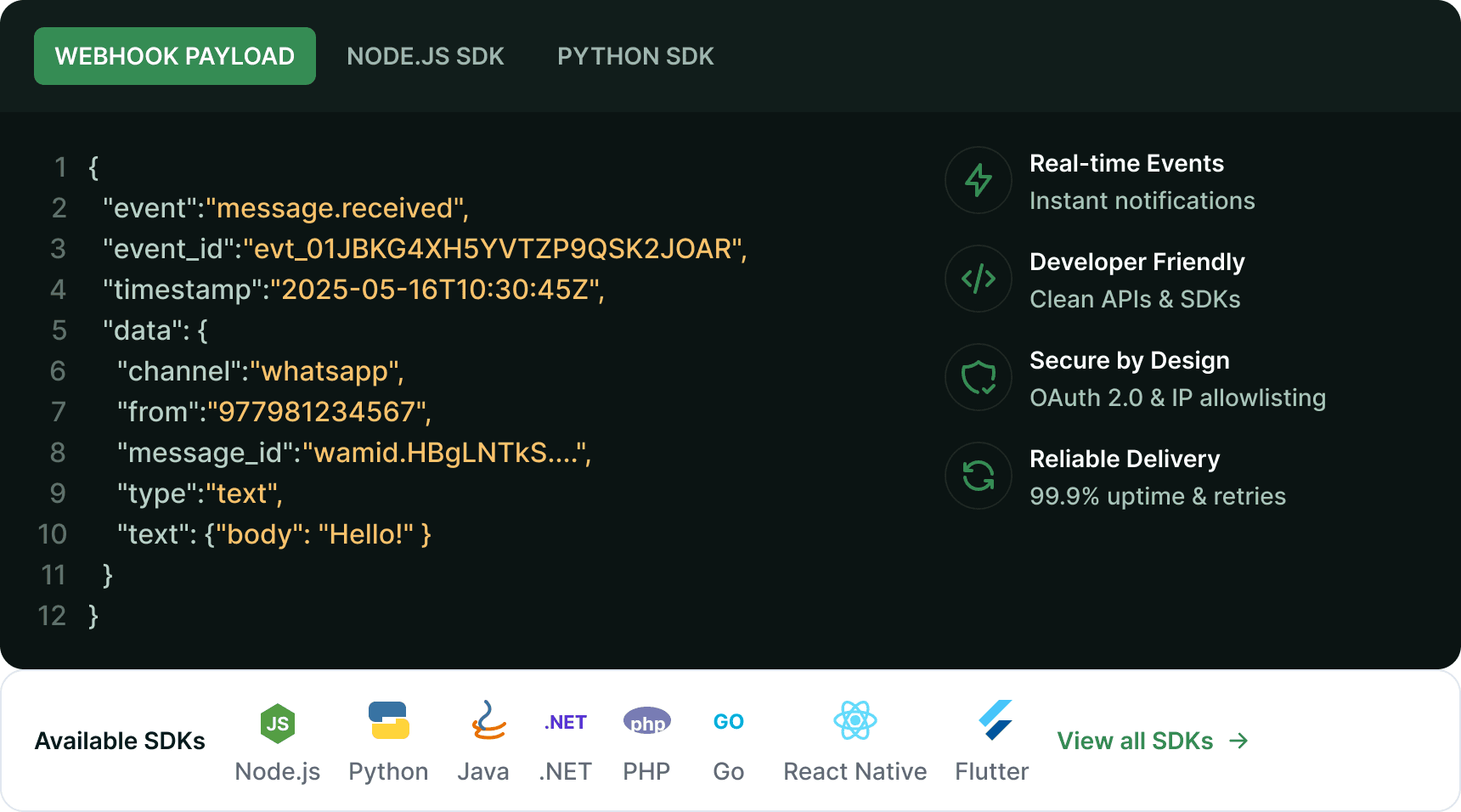
Use webhooks for real-time events and SDKs to build powerful experiences in your apps.
Real-time & Reliable
Instant event delivery with high reliability.
Easy to Implement
Simple setup with code samples & SDKs.
Secure & Scalable
Enterprise-grade security and global scale.
Developer First
Well documented and easy to use.
Built for Performance
Fast, lightweight SDKs optimized for speed.
Need help building?
Our developer support team is here to help you integrate Telvanta.ai smoothly.
Webhooks Overview
Webhooks notify your application about important events in real-time. Subscribe to the events you care about and get instant updates.
- 40+Event Types
- Real-timeDelivery
- 99.9%Uptime SLA
- Auto RetryOn Failure
- GlobalInfrastructure
Popular Webhook Events
View all eventsQuick Start
- 1Choose WebhookSelect the events you want to subscribe.
- 2Configure EndpointSet your webhook URL and security.
- 3Test & SubscribeTest the connection and start receiving events.
Resources
- Webhook Best Practices
- Retry & Error Handling
- Webhook Security
- API Changelog
- Postman Collection
Need a Custom Build?
We can help you build custom integrations and workflows using Telvanta.ai APIs.
Build more. Deliver better.
Leverage real-time events and powerful SDKs to create exceptional experiences.
- No-Code AlternativeUse integrations for quick setup.
- Community SupportJoin our developer community.
- Sandbox EnvironmentTest your integration in a safe environment.